StoreCanvas app icon

StoreCanvas

App Store screenshots & copy. Design free, pay once to export.

Download on the Mac App Store$29.99 one-time · design free, pay once to export
2868
px tall. Exact Apple sizes, always.
30/30
Live limits on every App Store Connect field.
$29.99
Once. Never a subscription.
What it is

Shipping the app was the fun part. Then comes the listing.

StoreCanvas is a Mac app that builds the whole listing in one place: device-framed screenshots at the exact pixel sizes Apple requires, a copy center with live character counters for every App Store Connect field, an app icon generator that exports the full set, and a listing preview that shows the whole thing the way shoppers will see it.

Local-first: your projects, screenshots and settings stay on your Mac. No account, no analytics, no tracking.

01 · Screenshots

Screenshots at exact Apple sizes.

Drop in a screen capture, frame it in a real device, add a headline. Export at the precise pixel dimensions App Store Connect requires. No more rejections for wrong dimensions.

iPhone 1320 × 2868iPad 2064 × 2752Mac 2880 × 1800
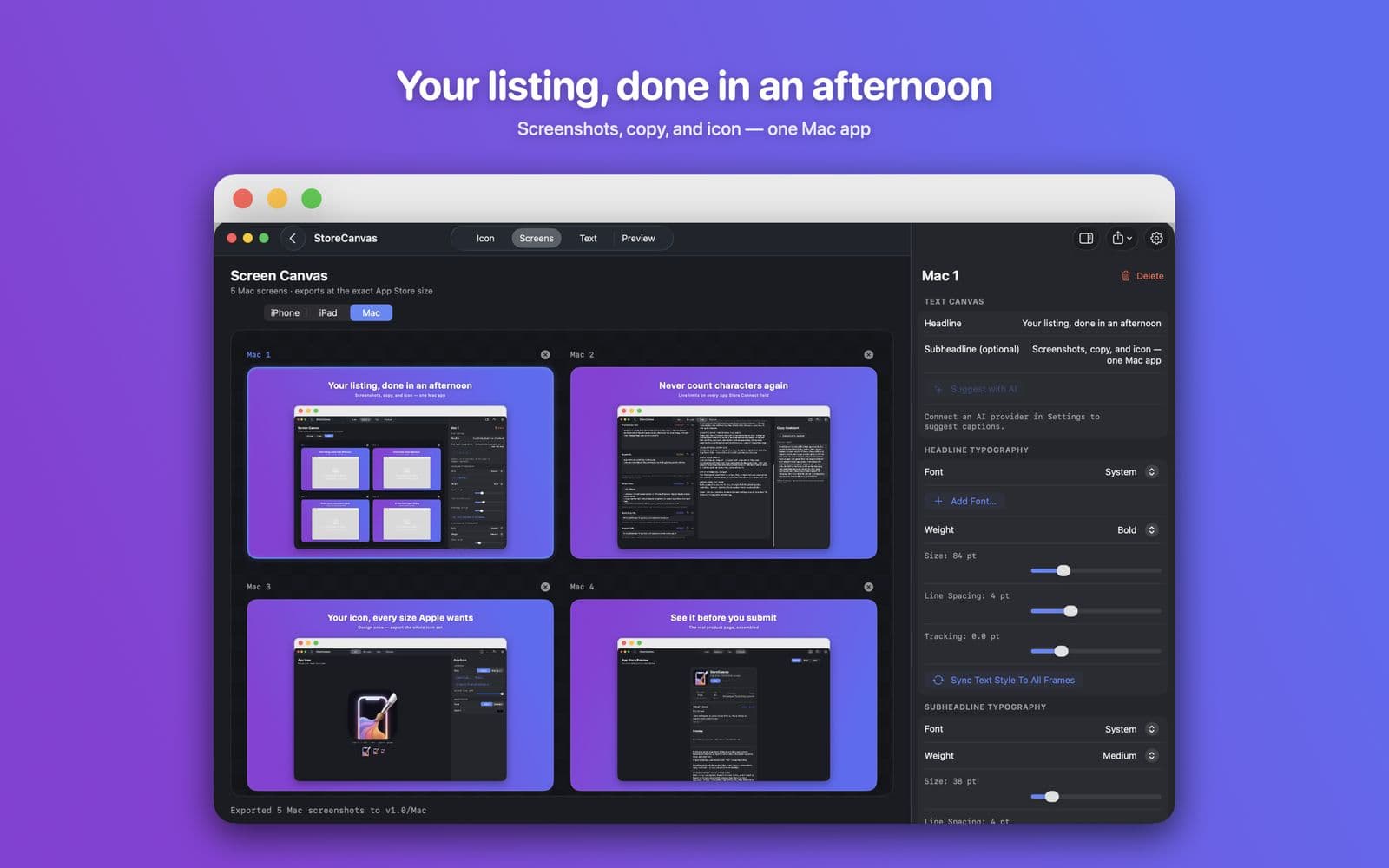
StoreCanvas Screens tab: four Mac frames on the canvas, with the inspector open on the right. Headline: Your listing, done in an afternoon.
02 · Copy

A copy center that knows the limits.

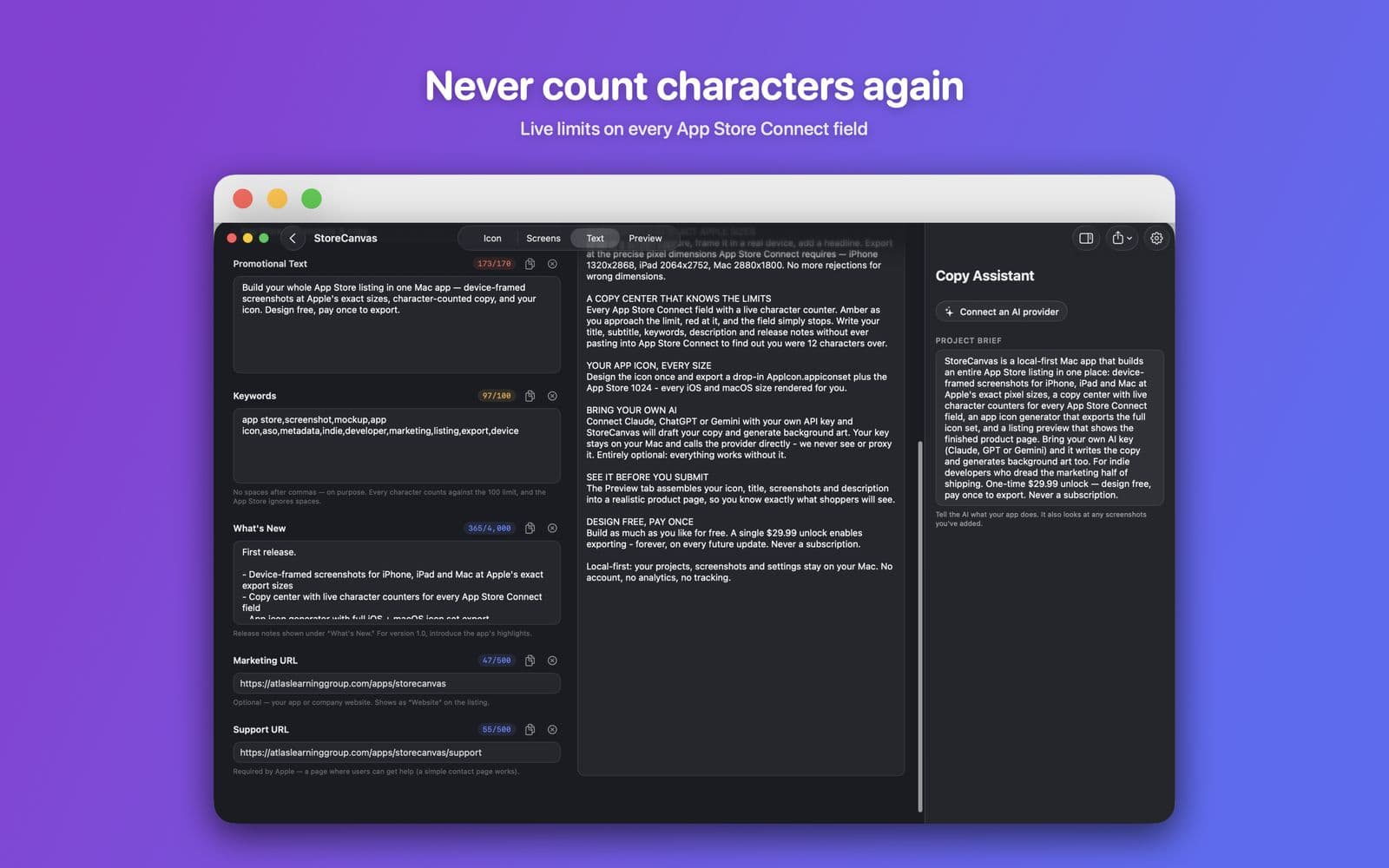
Every App Store Connect field with a live character counter. Amber as you approach the limit, red at it, and the field simply stops. Write your title, subtitle, keywords, description and release notes without ever pasting into App Store Connect to find out you were 12 characters over.

28/3029/3031/30
StoreCanvas Text tab: promotional text, keywords, what's new and URL fields with live counters, and the Copy Assistant panel. Headline: Never count characters again.
03 · Icon

Your app icon, every size.

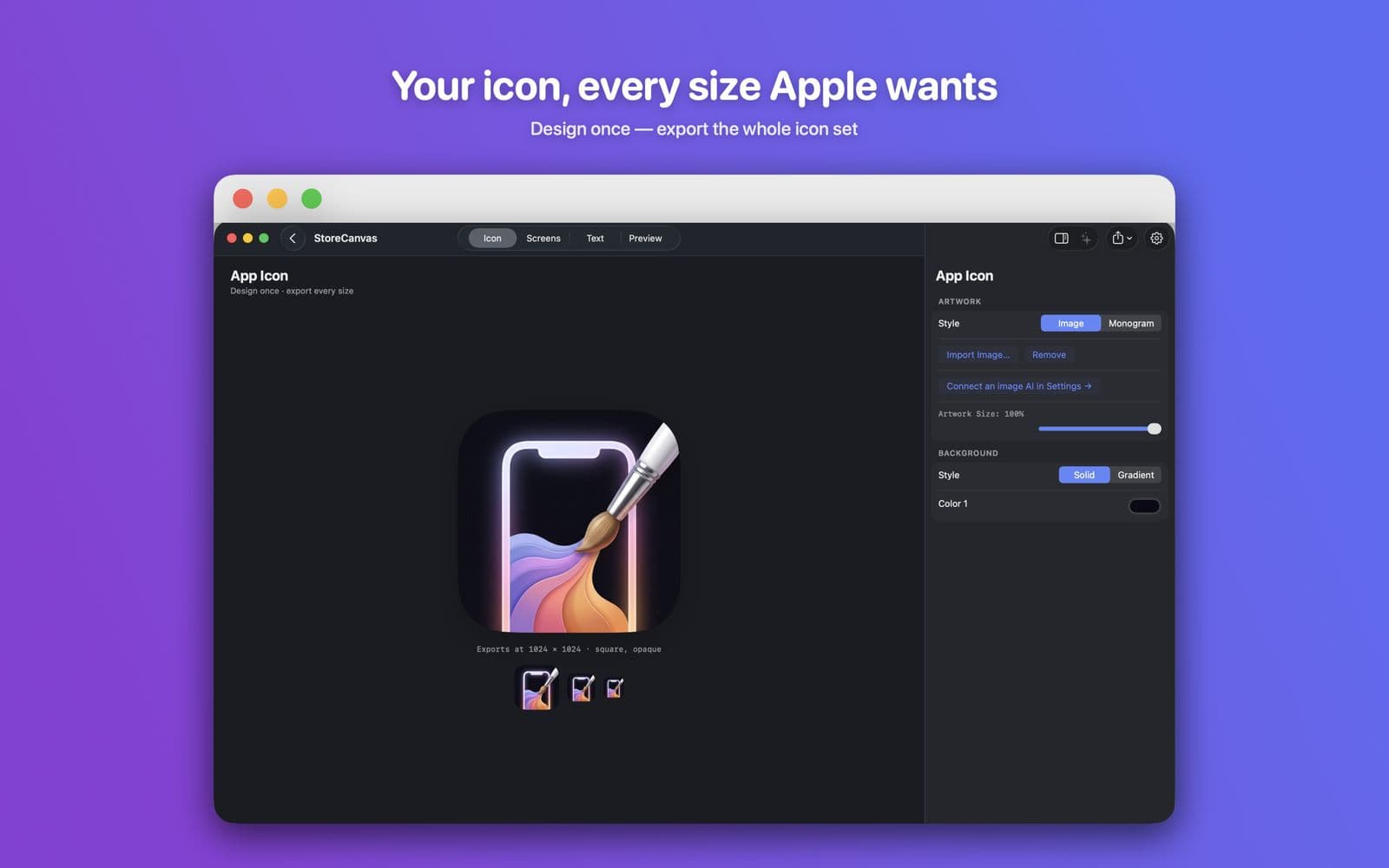
Design the icon once and export a drop-in AppIcon.appiconset plus the App Store 1024. Every iOS and macOS size rendered for you, opaque and square, the way Apple wants them.

AppIcon.appiconsetAppStore-1024.png
StoreCanvas Icon tab: the StoreCanvas icon on the canvas with 64, 40 and 29 px previews below. Headline: Your icon, every size Apple wants.
04 · Preview

See it before you submit.

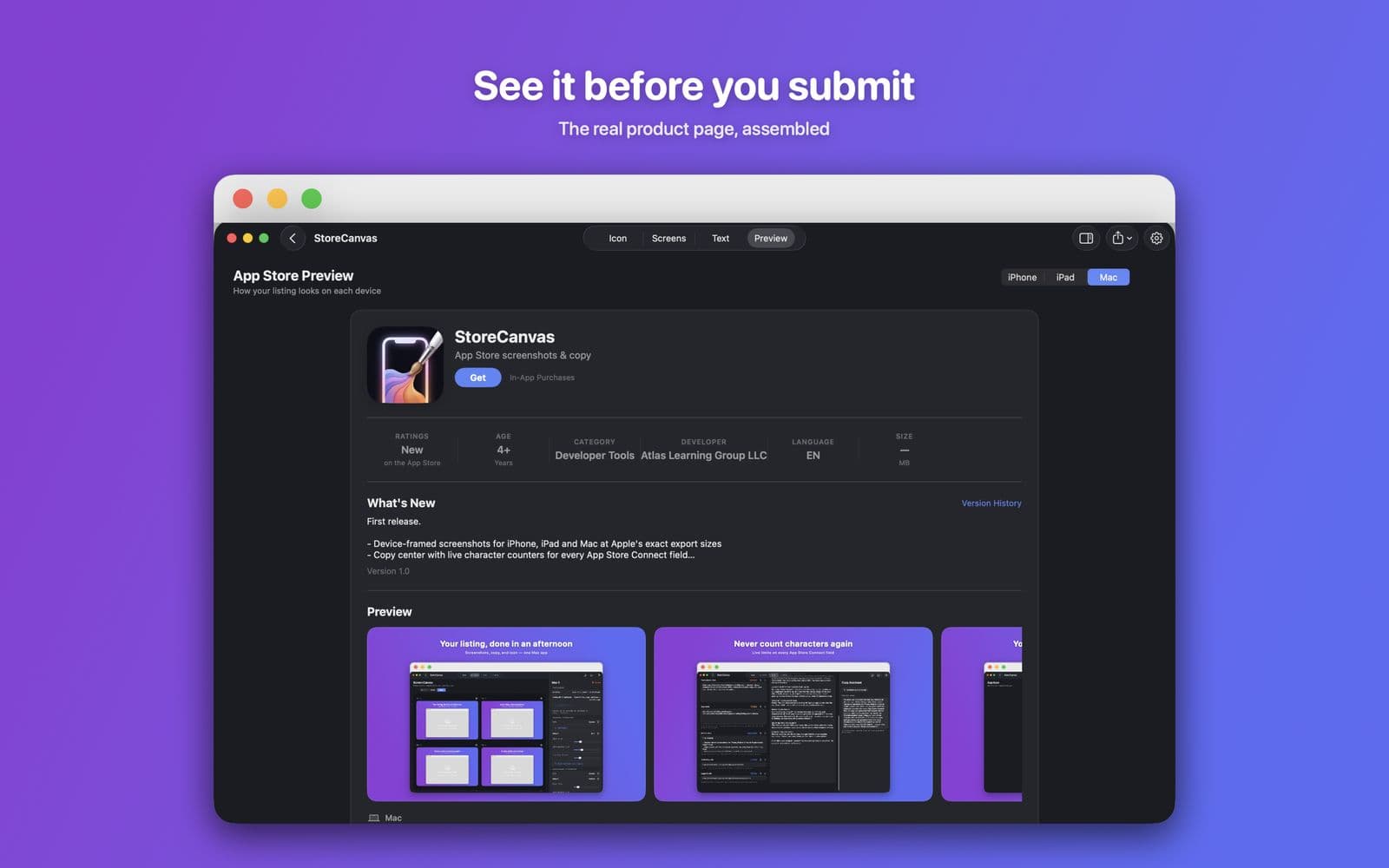
The Preview tab assembles your icon, title, screenshots and description into a realistic product page, so you know exactly what shoppers will see. Export it as a PNG for feedback. That export stays free.

iPhoneiPadMac
StoreCanvas Preview tab: the assembled App Store product page for a Mac app. Headline: See it before you submit.
05 · AI

AI drafts it. Your key, your costs.

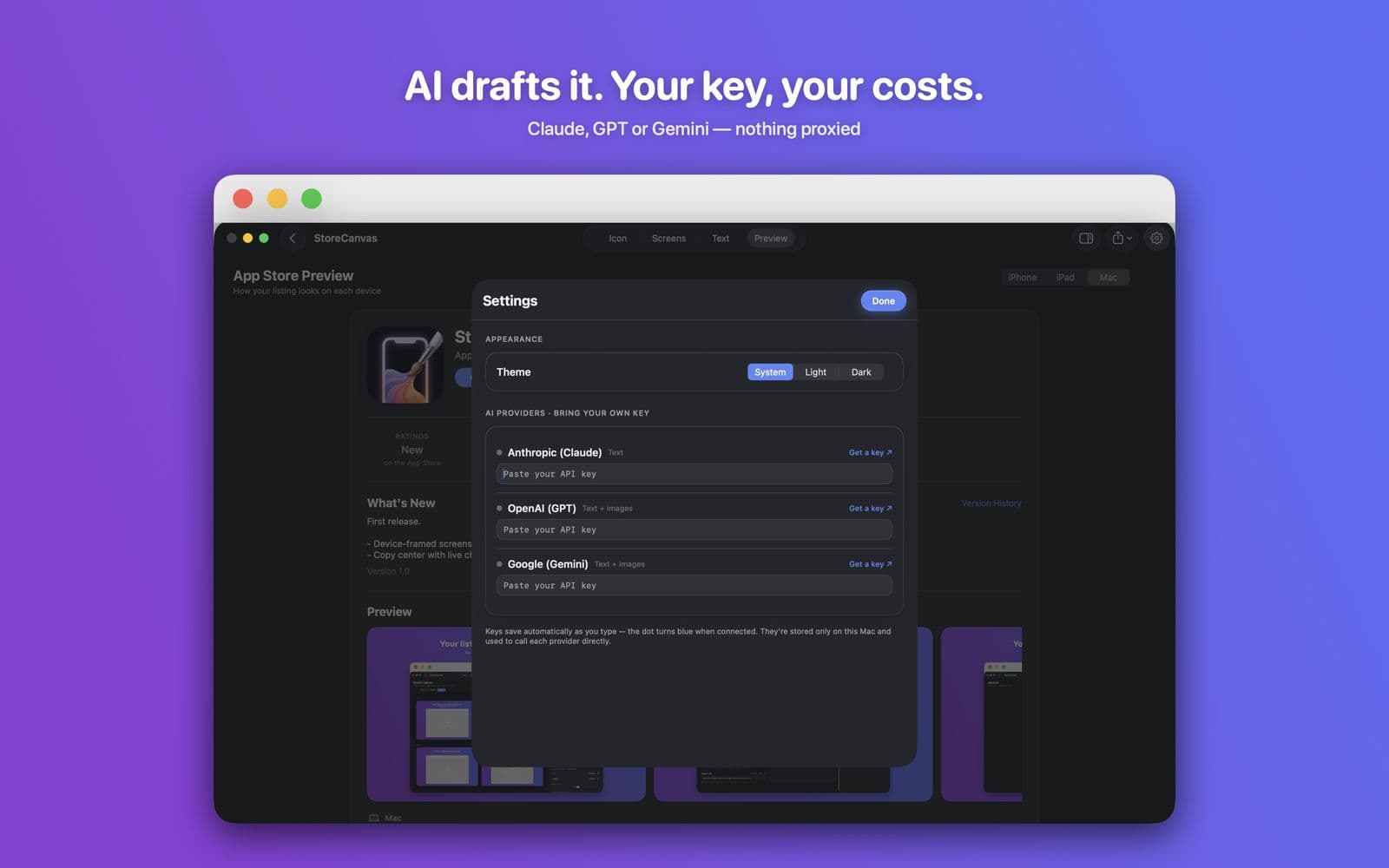
Connect Claude, ChatGPT or Gemini with your own API key and StoreCanvas drafts your copy and generates background art. The key stays on your Mac and calls go to the provider directly. Nothing proxied. Entirely optional: everything works without it.

ClaudeGPTGemini
StoreCanvas Settings sheet: API key fields for Anthropic, OpenAI and Google, with theme controls. Headline: AI drafts it. Your key, your costs.
Also in the box

The smaller things that add up.

  • iPhone, iPad & Mac sets

    Build one, two, or all three platforms per project. Each is an independent set, exported at its own sizes.

  • Headlines & subheadlines

    Two lines of marketing copy per screen with fully independent typography. Pair a heavy display headline with a light supporting line.

  • Your fonts

    Add any .ttf, .otf, or .ttc, Google Fonts included, and reuse it across every project.

  • Style the whole set at once

    Sync text, background, or device styling across every frame and platform in one click.

  • AI Library

    Every image you generate is saved automatically. Reuse it on any screen, platform, or project. Generate once, use forever.

  • Projects & versions

    Archive a version before starting the next. Exports organize themselves into version folders: v1.0/iPhone/, v1.1/Mac/.

Bring your own AI

Your key, your costs. Nothing proxied.

StoreCanvas is bring-your-own-key. Paste an API key from the provider of your choice. It is stored only on your Mac, and StoreCanvas calls the provider directly. Atlas Learning Group never sees or proxies your key, your prompts, or your tokens.

ProviderCan doBest for
Anthropic (Claude)TextThe strongest App Store copywriting: titles, descriptions, keywords with real nuance
Google (Gemini)Text + imagesGenerous free tier. The easiest way to start
OpenAI (GPT)Text + imagesSolid all-rounder for text and images
  • Setup takes one paste. Settings, then paste the key next to the provider. It saves as you type; the dot turns blue. Choose a Copywriter and an Image Generator.
  • A good combo: Claude for copy, Gemini for images. Claude writes the best copy but does not make images, so pair it with one that does.
  • You pay the provider directly at their API rates, typically pennies per generation. No markup, no middleman.
  • Entirely optional. Screenshots, icon, copy editing and preview all work without a key. The key only powers ✨ generation.

Full setup steps in the how-to guide.

Pricing & privacy

Design free. Pay once. Nothing collected.

One-time unlock
$29.99

Build as much as you like for free. A single unlock enables exporting, forever, on every future update. StoreCanvas is yours for life.

One-time offer
$19.99

Shown once, quietly, if you pass on the unlock the first time. Maybe later dismisses it. Still one-time; still never a subscription.

Accounts · analytics · tracking
0

No accounts, no analytics, no trackers, no proxied keys. Local-first is a promise, not a feature.

Free, unlimited
  • Designing screens for iPhone, iPad and Mac
  • Writing copy in the copy center
  • Generating copy and images with your own key
  • Previewing the listing on every platform
  • Exporting the listing preview PNG
Behind the $29.99 unlock
  • Export Screenshots at App Store pixels
  • Export Icon Set (AppIcon.appiconset + AppStore-1024.png)
  • Export Text Document with character counts
  • Export Everything… into one version folder
Download on the Mac App StoremacOS · purchases handled by Apple
FAQ

Questions with short answers.

Is this a subscription?

No. StoreCanvas is a one-time purchase: $29.99, yours forever, every update included. Design everything free and pay only when you're ready to export.

What exactly is behind the paywall?

Only exporting your finished assets. Designing screens, writing copy, generating with AI, and previewing the listing are free and unlimited. Exporting the listing preview stays free too, so you can always share a mock for feedback.

Do I need an AI key to use StoreCanvas?

No. Screenshots, icon, copy editing, and preview all work without AI. The key only powers ✨ generation.

Where are my API key and projects stored?

On your Mac. Keys live in the app's local settings and calls go straight to your provider. Projects are files in ~/Library/Application Support/StoreCanvas/.

What sizes does it export?

The current App Store Connect requirements: iPhone 1320 × 2868 (and the other accepted sizes), iPad 2064 × 2752, Mac 2880 × 1800, plus every icon size for iOS and macOS.

Can I use it for more than one app?

Yes. Unlimited projects, no per-app fees.

Can I use my own fonts?

Yes. Add Font… accepts any .ttf, .otf, or .ttc file, Google Fonts included. Imported fonts are copied into StoreCanvas and stay available across every project.

Do I pay again every time I generate an image?

You pay your AI provider directly at their rates, but every image you generate is saved to your AI Library automatically, so you can reuse it on any screen, platform, or project without generating it again.

Refunds?

Purchases are handled by Apple. Request a refund at reportaproblem.apple.com.

Read the full how-to guide · Privacy policy · Support